
Walk to unlock
Feet on the floor.
Apps unlocked.
Set any step goal that works for you. A little movement before your morning feed.
The morning app blocker
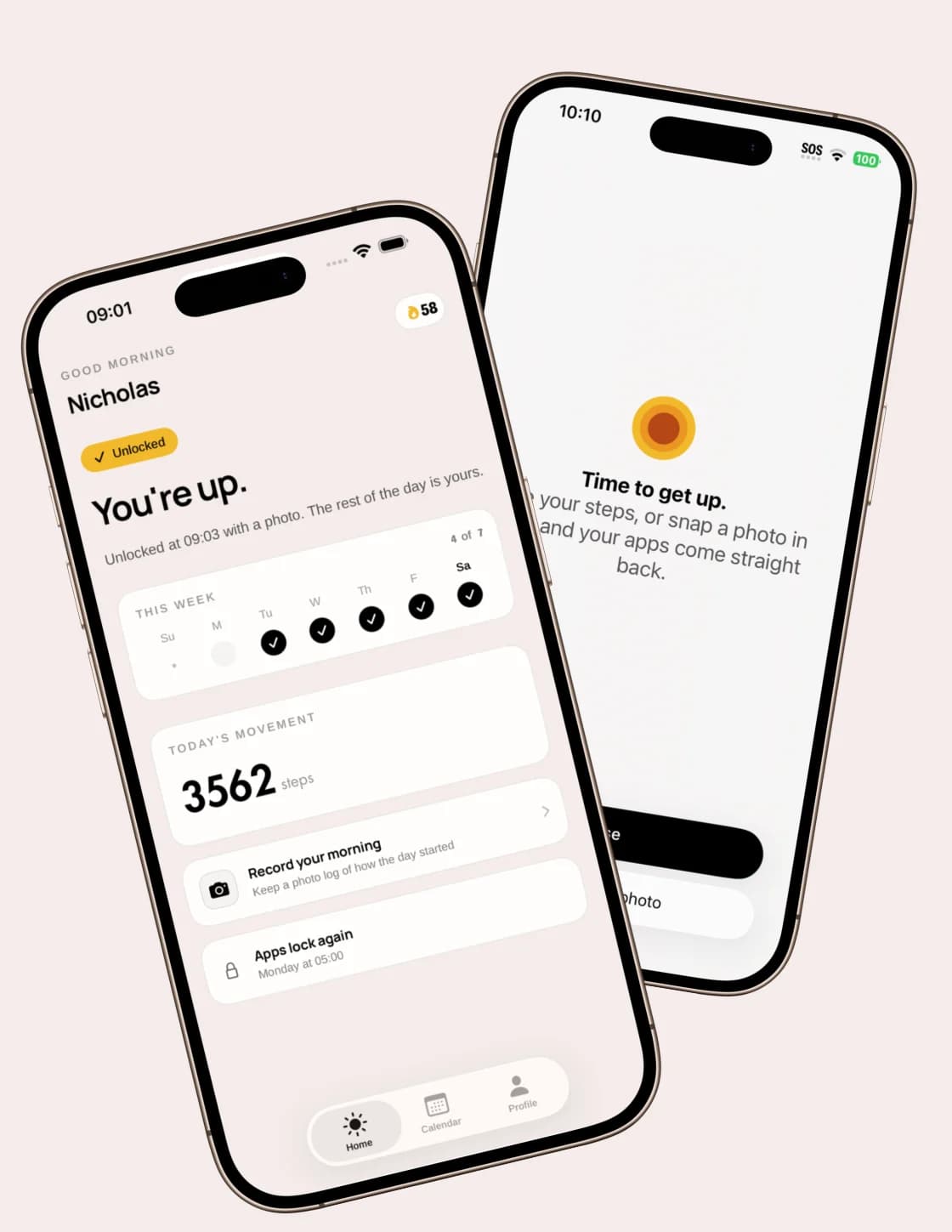
Your morning starts when you get up.
Rise keeps distracting apps locked until you do.
Free trial No account No ads
A simple change
Set it up tonight. Give tomorrow a different start.
Select the apps that keep you scrolling.
Make a schedule that fits your week.
Reach your step goal or snap a photo. You’re in.
Walk to unlock
Set any step goal that works for you. A little movement before your morning feed.
Snap to unlock
Your toothbrush. The kettle. Pick a real object worth getting out of bed for.
Made for real mornings
A different wake-up window for every day.
Wake-up stats and streaks, all in one place.
Keep the distractions locked until you’re up.
The idea behind Rise
“Just a quick check” is an easy way to stay in bed. Rise puts a small, real-world action between waking up and opening your feed.
Why we scroll in bedRise is a morning app blocker for iPhone. It keeps your chosen apps locked during your wake-up window until you reach the step goal you set or take a photo of a real object.
Rise is a monthly or annual auto-renewing subscription. Eligible customers can start with a free trial; the trial length and the price that follows are shown before you confirm the purchase. Prices vary by App Store storefront. No account is required and there are no ads in the app.
Cancel in your App Store subscription settings at least 24 hours before the trial or billing period ends to avoid the next charge. Manage Subscription in Rise links to cancellation, restoring a purchase, help, and refund requests. Deleting the app does not cancel a subscription.
Rise uses Apple’s Screen Time controls to block the apps you select during your morning window. Choose the social, news, email, or other apps that tend to keep you in bed.
Choose one of two methods: reach a step goal you set, or photograph a real object you have chosen, such as your toothbrush or kettle. Complete your action to unlock your apps.
Yes. Set a separate wake-up window for each day of the week, so early starts and slower weekends can fit the same routine.
Photo unlocks are sent to a third-party provider for verification. Rise does not store them on its servers. The privacy policy explains third-party processing and retention.
Rise requires iOS 17.6 or later. It is available for iPhone; there is currently no Android version.
The Rise journal
Tomorrow starts here
Less time in your feed. More time on your feet.
Download on theApp StoreFree trial, then a subscription. No account. No ads.Built by Oliver Dale, an independent developer.
Ideas or feedback? You’ll find me in the app’s Settings.


